Free 24/7 Minecraft Server in 2026: How to Host One!
Can You Really Get a Free 24/7 Minecraft Server?
Yes, but there’s an important catch.
A server being free does not automatically mean it will stay online 24/7.
Free hosting providers have to manage their hardware and electricity costs, so many of them stop inactive servers to save resources.
For example, Minehut’s current free Starter plan provides 1 GB RAM and up to 10 players, but the server sleeps when empty. Its paid Ultimate plan is the option that stays online 24/7.
Falix also currently offers a free Minecraft plan with 2.5 GB shared RAM, 1 CPU core and 10 GB NVMe storage, but its free servers sleep around 10 minutes after the last player leaves.
So if by “24/7” you mean:
The server should remain running even when nobody is playing
you need to check the host’s uptime policy carefully.
If you mean:
My friends should be able to join without me hosting Minecraft on my own PC
then free auto-start hosting can be a practical solution.
Best Free Minecraft Server Hosting Options in 2026
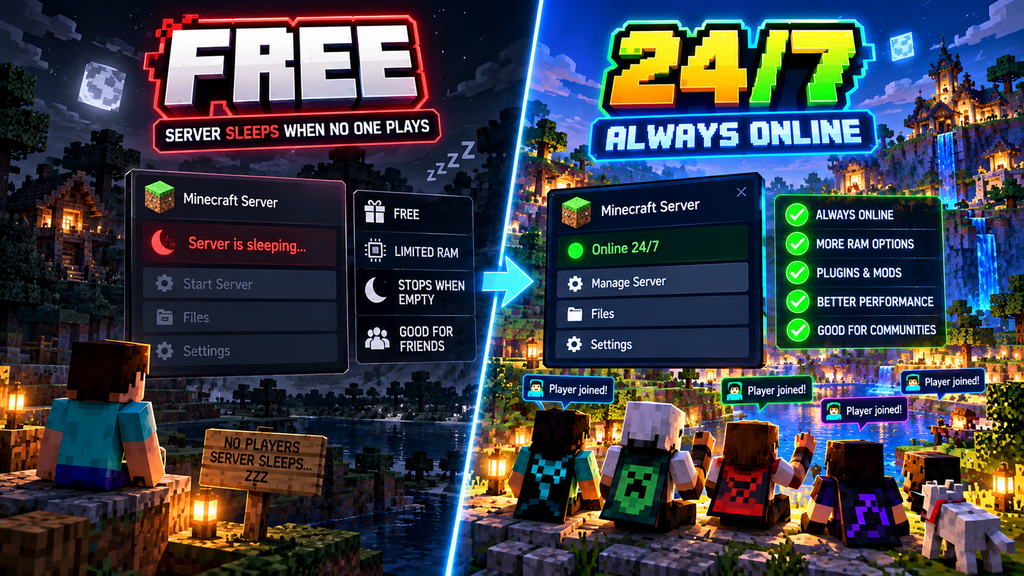
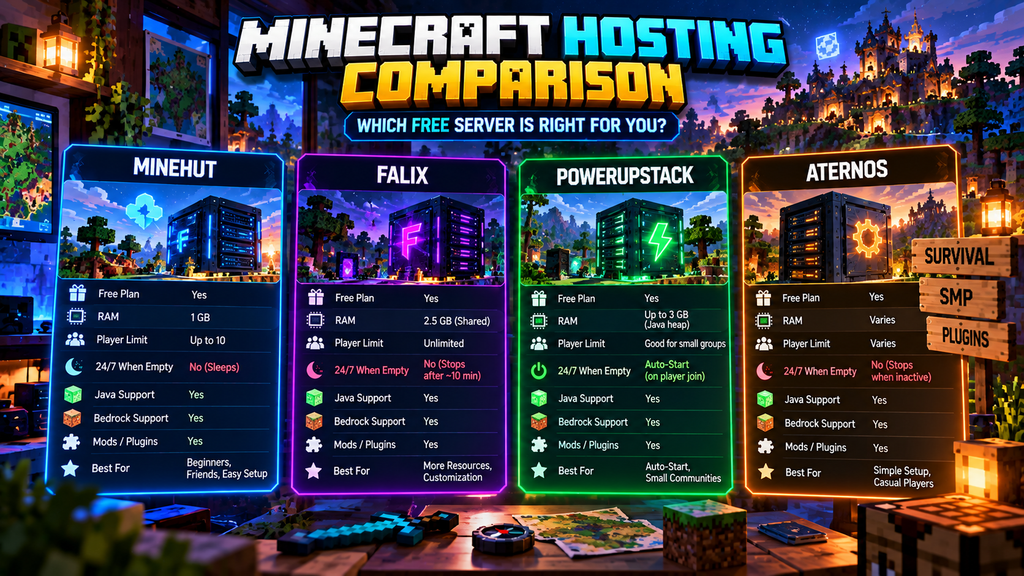
There isn’t one perfect free host for everyone. The right option depends on whether you need Java, Bedrock, mods, plugins, automatic startup or true always-on uptime.
| Host | Free Plan | RAM | 24/7 When Empty? | Java | Bedrock |
| Minehut | Yes | 1 GB | ❌ Sleeps | ✅ | ✅ |
| Falix | Yes | 2.5 GB shared | ❌ Sleeps | ✅ | ✅ |
| PowerupStack | Yes | Up to 3 GB heap | Auto-start | ✅ | ✅ |
| Aternos | Yes | Varies | ❌ Stops when inactive | ✅ | ✅ |
*Bedrock availability and connection method can depend on the server software/configuration.
Important: Free hosting specifications and policies can change, so check the provider’s current plan page before creating a production server.
1. Minehut
Minehut is one of the easiest options if you simply want to create a Minecraft server without dealing with complicated server files.
Its current free Starter plan includes:
- 1 GB RAM
- Up to 10 players
- No credit card required
- No playtime limit
- Java and Bedrock crossplay
- Web-based server management
The important limitation is that free servers sleep when empty. Minehut says its free servers wake when a player joins, while its Ultimate plan stays online 24/7.
Best for
Small survival servers, friends, testing plugins and players who don’t need the server running while everyone is offline.
2. Falix
Falix Free Minecraft Hosting is another interesting option.
Its current free Minecraft plan advertises:
- 2.5 GB shared RAM
- 1 CPU core
- 10 GB NVMe storage
- Unlimited player slots
- DDoS protection
- Plugin and mod support
- Java and Bedrock options
- Google Drive backups
- One free server per account
However, Falix’s free servers are not designed to remain permanently online while empty. Its current documentation says free servers stop about 10 minutes after the last player leaves.
Best for
Players who want more free resources and customization for a small Minecraft community.
3. PowerupStack
PowerupStack Free Minecraft Hosting currently advertises a free Minecraft plan with an auto-start-on-join feature.
Its published free plan includes:
- Up to 3 GB Java heap
- 2 CPU threads
- 4 GB total container RAM limit
- 4 GB SSD storage
- Java and Bedrock support
- DDoS protection
- No credit card
- Permanent free tier
The interesting feature is automatic startup: the provider says the server can start when a player connects rather than requiring someone to manually start it from the control panel.
This makes it closer to what many people actually want when searching for a free 24/7 Minecraft server.
However, auto-start is not the same thing as a server continuously running while empty.
Best for
Small groups that want players to be able to join without manually starting the server first.
4. Aternos
Aternos is another well-known free Minecraft hosting platform.
Aternos offers free Minecraft servers with support for customization, mods and plugins.
However, you should not confuse free forever with online 24/7.
Aternos is designed around servers being available when players want to play rather than providing an always-running server with nobody connected.
Also, attempting to bypass its idle and stop mechanisms using fake players, bots or automated reconnects is prohibited by its terms.
Best for
Casual Minecraft players who want a simple free server and don’t need continuous uptime.
Which Free Minecraft Server Should You Choose?
Here’s the simple version.
For beginners
Minehut
It’s easy to set up and provides a web dashboard, Java/Bedrock support and a free plan.
For more resources
Falix
The current free plan advertises 2.5 GB shared RAM and 10 GB storage, along with mod and plugin support.
For automatic startup
PowerupStack
Its current free plan advertises automatic startup when a player connects.
For simple free hosting
Aternos
It’s a long-running free hosting option with Minecraft customization features.
How to Create a Free Minecraft Server
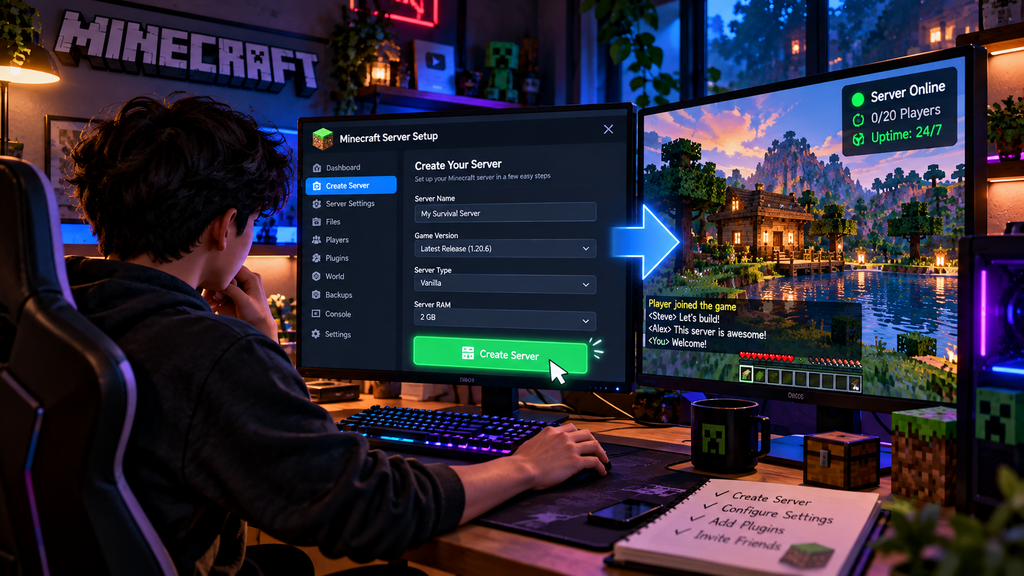
The exact process depends on the hosting provider, but the basic setup is surprisingly simple.
Step 1: Choose Your Minecraft Edition
First decide whether you’re playing:
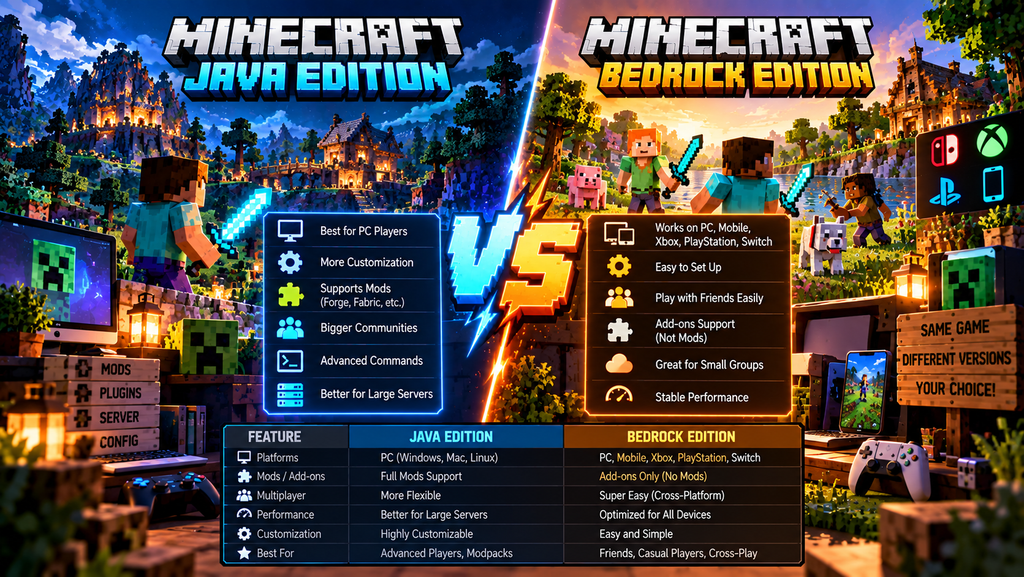
Minecraft Java Edition
Usually used on Windows, macOS and Linux.
Minecraft Bedrock Edition
Used on platforms such as Android, iPhone, consoles and Windows Bedrock.
If your friends use different editions, choose a host/configuration that supports crossplay.
Step 2: Create Your Hosting Account
Go to the hosting provider’s official website and create an account.
Avoid downloading random “Minecraft server hosting” applications from YouTube descriptions or unknown websites.
Use the official provider website whenever possible.
Step 3: Create Your Server
Look for an option such as:
Create Server
or
Create Minecraft Server
Choose the Minecraft version you want to run.
For a normal survival world, vanilla Minecraft is usually the easiest place to start.
Step 4: Select Your Server Software
Depending on the host, you may see options such as:
- Vanilla
- Paper
- Spigot
- Fabric
- Forge
- NeoForge
- Bedrock
- Modpacks
If you’re new to server hosting, I recommend starting with Vanilla or Paper.
Vanilla
Best if you want the standard Minecraft experience.
Paper
Useful if you want plugins and better server-side performance.
Fabric / Forge / NeoForge
Better suited to modded Minecraft.
Step 5: Start the Server
Once your configuration is ready, press:
Start Server
The host will normally install the required files and start the Minecraft server.
The first startup can take longer than subsequent starts.
Step 6: Find Your Server Address
Your hosting panel will provide a server address.
It may look something like:
yourserver.examplehost.com
Give that address to your friends.
They can then add it to Minecraft’s multiplayer section.
Step 7: Configure Your Server
Once your server works, you can customize it.
Some useful settings include:
- Difficulty
- Game mode
- PvP
- Spawn protection
- View distance
- Simulation distance
- Maximum players
- Whitelist
- World seed
For a private SMP, I strongly recommend enabling a whitelist.
This prevents random players from joining your server.
How to Make a Free Minecraft Server Feel Like 24/7
This is where many tutorials become misleading.
You will often see videos saying:
“FREE 24/7 MINECRAFT SERVER FOREVER!!!”
But the server may actually stop when everyone leaves.
There are three different situations:
Option 1: Always running
The server stays online even when there are zero players.
This normally requires an always-on paid plan or your own hardware.
Option 2: Auto-start
The server sleeps when empty but automatically starts when somebody wants to join.
This can feel almost like 24/7 hosting for a small group.
Option 3: Manual startup
Someone has to open the hosting dashboard and press Start before playing.
This is the most common limitation with basic free hosting.
Can You Use an AFK Bot to Keep a Free Server Online?
You may see tutorials recommending bots or fake players to keep free Minecraft servers running.
I don’t recommend doing this.
Some hosting providers specifically prohibit fake players, automated reconnections or attempts to bypass their inactivity systems.
For example, Aternos explicitly prohibits attempts to circumvent its stop routine using fake players or bots.
Falix also states that uptime pingers don’t prevent its free servers from sleeping because its free-plan stop mechanism is based on player activity rather than ordinary web requests.
So don’t waste time searching for “AFK bot 24/7 free Minecraft server” tricks.
Use the hosting service according to its rules.
How Much RAM Does a Minecraft Server Need?
RAM requirements depend heavily on your Minecraft version, number of players, mods and view distance.
As a rough starting point:
| Server Type | Suggested RAM |
| Vanilla + few friends | 1–2 GB |
| Small Paper server | 2–3 GB |
| Plugins + several players | 3–4 GB |
| Modded server | 4–8+ GB |
| Large community | 8 GB+ |
Don’t assume that throwing more RAM at a server automatically fixes every performance problem.
CPU performance, server software, world generation, plugins, mods and view distance can all affect performance.
How to Reduce Minecraft Server Lag
If your free server feels slow, try these changes.
Reduce View Distance
A lower view distance reduces the amount of world data the server has to process and send.
Reduce Simulation Distance
This can reduce the number of chunks where entities and game mechanics are actively processed.
Don’t Install Too Many Plugins
Every plugin adds some amount of server-side work.
Only install plugins you actually need.
Use Lightweight Server Software
For Java servers, optimized server software such as Paper can be useful for small multiplayer servers.
Avoid Huge Redstone Farms
Large automated farms can create significant entity and redstone activity.
Keep Your World Backed Up
Free hosting can have limitations, so don’t rely on a single copy of your world.
Can You Host a Minecraft Server From Your Own PC for Free?
Yes.
Technically, your own computer can act as the Minecraft server.
You can install the Minecraft server software, configure it and allow other players to connect.
But there are several disadvantages.
Your PC must stay powered on
If you shut down your PC, the server goes offline.
Your internet connection matters
Upload speed and network stability can affect the experience.
Port forwarding may be required
Depending on your network configuration, you may need to configure your router.
Your hardware is being used continuously
Running a server while gaming on the same PC can affect performance.
For most beginners, free managed hosting is easier.
Is Free 24/7 Minecraft Hosting Actually Worth It?
For a small group of friends, absolutely.
If your goal is:
“I want a Minecraft world where 5–10 friends can play together.”
a free host can be enough.
But if you’re creating:
- A public SMP
- A large community
- A network of multiple servers
- A mod-heavy server
- A server that must always remain online
then free hosting may become frustrating.
At that point, paid hosting gives you more predictable resources and uptime.
Free vs Paid Minecraft Hosting
| Feature | Free Hosting | Paid Hosting |
| Monthly cost | ₹0 | Usually paid |
| Basic Minecraft server | ✅ | ✅ |
| Plugins | Often | ✅ |
| Mods | Depends on host | ✅ |
| Automatic startup | Some hosts | Usually |
| Always online | Often limited | Usually available |
| Performance | Shared/limited | More resources |
| Large communities | Not ideal | Better suited |
| Support | Limited | Usually better |
The biggest difference isn’t simply “free vs paid.”
It’s resource availability and uptime.
My Recommended Setup for a Free Minecraft SMP
If I were setting up a small Minecraft SMP for friends without spending money, I’d keep it simple.
Server type
Paper or Vanilla
Players
Around 5–10 friends
Game mode
Survival
Difficulty
Normal or Hard
Protection
Whitelist enabled
Performance
Moderate view and simulation distance
Backups
Keep regular copies of your world.
Hosting
Choose a free host that matches your edition and desired startup behavior.
For example, Minehut currently supports Java/Bedrock crossplay and provides a free 1 GB plan, while Falix advertises 2.5 GB shared RAM on its free plan. PowerupStack currently advertises auto-start on player connection.
Frequently Asked Questions
Is there a completely free 24/7 Minecraft server?
There are free Minecraft hosting options, but you need to distinguish between always-online hosting and auto-start hosting.
Many free services stop or sleep when nobody is playing.
Minehut’s free plan, for example, sleeps when empty, while its paid Ultimate plan stays online 24/7.
What is the best free Minecraft server host?
It depends on what you need.
Minehut focuses on easy setup and Java/Bedrock crossplay, Falix offers a comparatively generous free resource allocation, and PowerupStack advertises automatic server startup when players connect.
Can I make a free Minecraft server without port forwarding?
Yes.
Managed hosting platforms allow the provider’s infrastructure to handle the server connection, so you don’t need to expose your home network through router port forwarding.
Can mobile players join a free Minecraft server?
Yes, depending on the host and configuration.
Minehut currently advertises Java/Bedrock crossplay, while Falix also lists Bedrock support and Geyser-based Java/Bedrock connectivity.
How much RAM is enough for a Minecraft SMP?
For a small vanilla SMP with a few friends, 1–2 GB can be a starting point. Modded servers and larger communities generally need more resources.
Can I use mods on a free Minecraft server?
Some free hosts support mods and modpacks.
For example, Falix currently lists support for mods, plugins and modpacks on its free hosting platform.
Can I make my Minecraft server public?
Technically, many hosting platforms allow public servers, but free plans may have resource and uptime limitations.
If you’re expecting a large number of players, paid hosting is generally more appropriate.
Final Verdict
A free Minecraft server in 2026 is absolutely possible, but you should be careful with the word 24/7.
If you simply want a server for friends, free hosting can be more than enough.
If you want players to be able to join without manually starting the server, look for a provider with automatic startup.
If you need the server to remain online even when nobody is playing, check the provider’s uptime policy carefully. Minehut and Falix, for example, currently sleep their free servers when empty.
And if you’re building a serious public SMP, eventually paying for reliable resources and always-on uptime will make much more sense than trying to bypass the limitations of free hosting.
The best free server isn’t necessarily the one advertising “24/7.”
It’s the one that actually matches how you and your friends play.