Do Gaming Laptop Cooling Pads Actually Work? Benefits, Drawbacks & Buying Guide (2026)
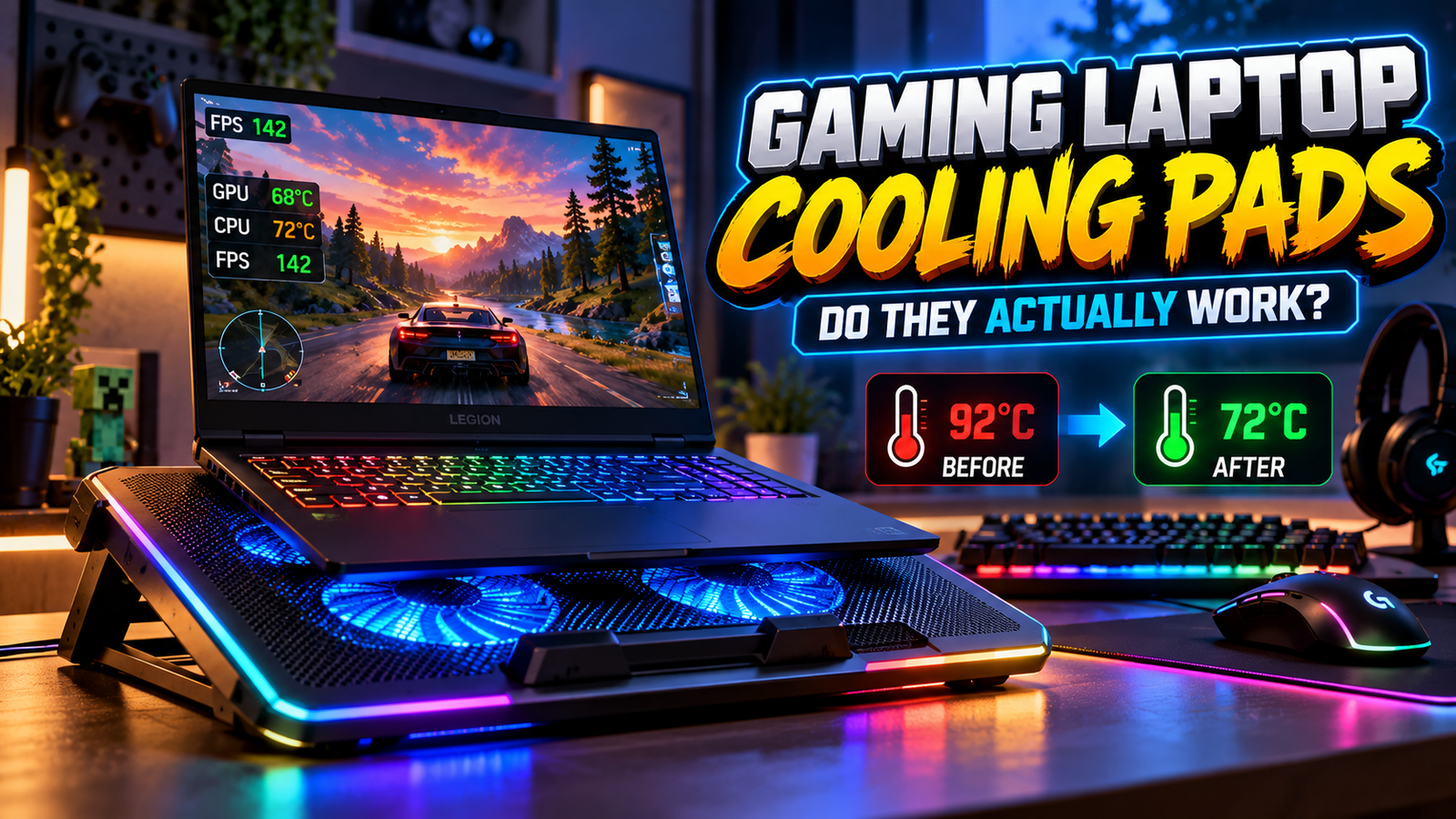
Do Gaming Laptop Cooling Pads Actually Work?
If you play games on a laptop, you have probably noticed how hot your device can become during long gaming sessions. The fans get louder, the keyboard feels warm, and demanding games can sometimes run less smoothly than expected.
That is why many gamers consider buying a laptop cooling pad. These accessories usually sit underneath your laptop and use fans or an elevated design to improve airflow.
But is a gaming laptop cooling pad really worth buying, or is it just another gaming accessory with flashy RGB lighting?
The short answer is yes, cooling pads can help, but not every cooling pad will make a noticeable difference. Their effectiveness depends on your laptop’s ventilation, the cooler’s design, the game you’re playing, and your laptop’s existing cooling system.
In this guide, we’ll explain how cooling pads work, when they help, their disadvantages, and what to check before spending money on one.
What Is a Gaming Laptop Cooling Pad?
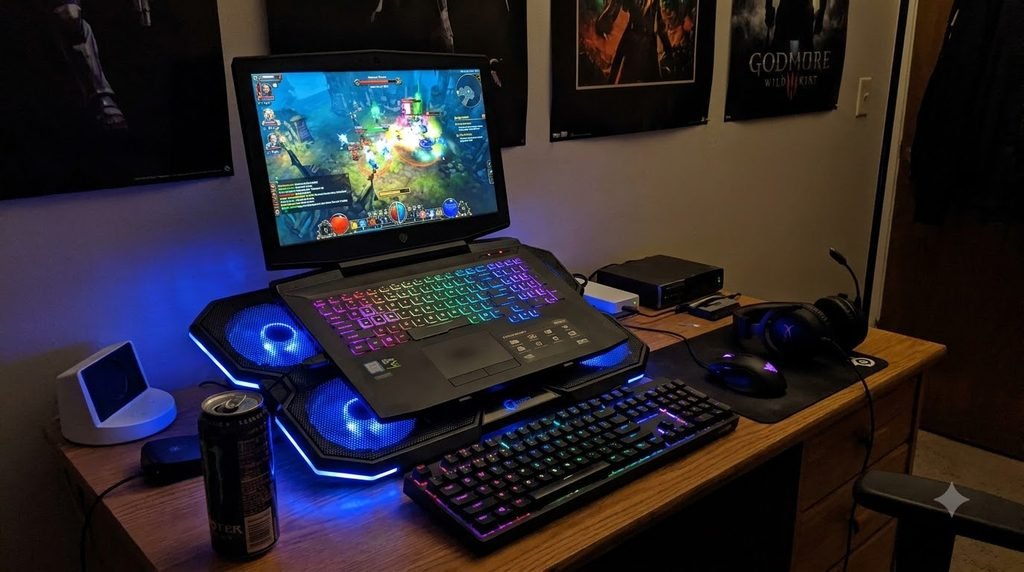
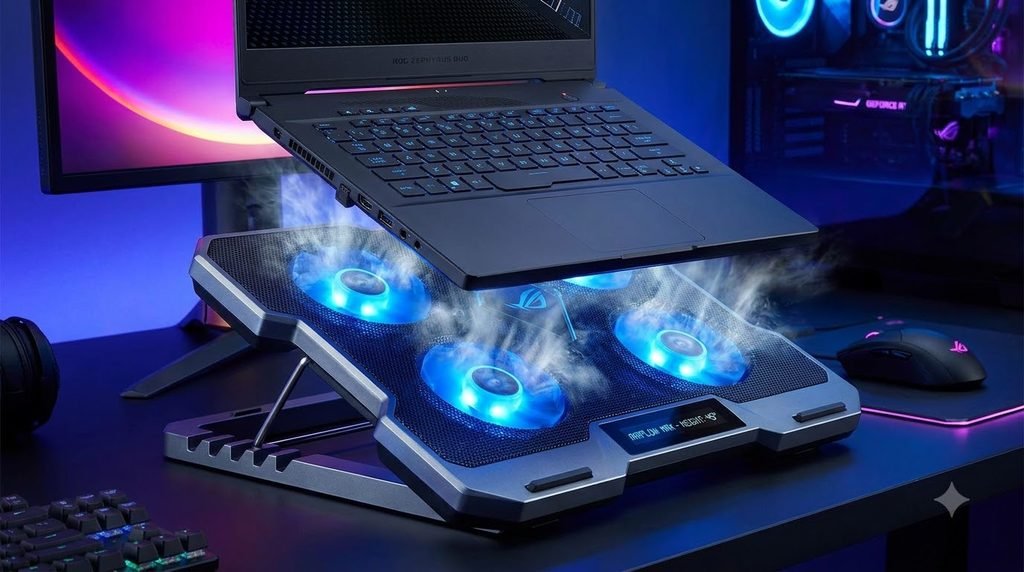
A gaming laptop cooling pad is an accessory designed to support a laptop and improve airflow around its underside.
Most models feature a flat platform, one or more fans, and a USB power connection. Some also include adjustable height, fan-speed controls, RGB lighting, and a mesh surface.
There are two common types.
1. Active Cooling Pads
Active cooling pads use powered fans to move air beneath your laptop. Depending on the design and the position of your laptop’s intake vents, this extra airflow may help the internal cooling system remove heat.
Some premium coolers use a more directed airflow chamber to push air toward the laptop’s ventilation openings.
2. Passive Laptop Stands
Passive stands do not use powered fans. Instead, they elevate the laptop to create more space underneath it.
This can improve airflow without adding fan noise, cables, or another powered device to your setup.
For some laptops, a simple stand may provide a similar practical benefit to an ordinary fan-based cooling pad.
How Do Laptop Cooling Pads Work?
To understand their effectiveness, you need to understand how a gaming laptop manages heat.
During demanding tasks, the processor and graphics chip generate heat. The laptop’s internal fans move air through its cooling system, while heat pipes or other thermal components transfer heat away from the chips.
A cooling pad can help by:
- Improving airflow beneath the laptop.
- Directing additional air toward compatible intake vents.
- Raising the laptop above a flat desk.
- Providing a more comfortable typing or gaming angle.
- Helping some systems maintain performance during sustained workloads.
However, a cooling pad does not directly replace the laptop’s internal cooling system.
If the laptop draws air from its sides or hinge rather than through the bottom, an ordinary fan pad may offer little additional cooling. The exact design matters more than the number of fans or the amount of RGB lighting.
Do Gaming Laptop Cooling Pads Actually Lower Temperatures?
Yes, they can, but the results vary significantly.
In a 2025 test published by WIRED, a conventional Targus cooling mat produced almost no difference in the tested Razer Blade 16’s maximum CPU temperature: it remained at 85°C with and without the mat. A more specialized Razer cooling pad with directed airflow reduced the measured maximum CPU temperature to 77°C in the same laptop’s test setup. These are results from one particular device and testing method, not a guarantee for other laptops.
This illustrates an important point: a well-matched cooling pad can help, but a basic fan mat may provide little improvement over simply elevating the laptop.
You should not expect every cooling pad to reduce temperatures by a fixed number of degrees.
Your results will depend on:
- Your laptop model and internal cooling design.
- The location and size of its intake vents.
- The cooling pad’s airflow and fit.
- Ambient room temperature.
- The game’s CPU and GPU workload.
- Dust buildup and the condition of the internal fans.
If you’re buying a cooling pad specifically to solve overheating, check your laptop’s ventilation layout before choosing one.
Benefits of Using a Gaming Laptop Cooling Pad
1. Potentially Lower CPU and GPU Temperatures
The main benefit is the possibility of reducing heat during demanding tasks.
If a compatible cooling pad improves the airflow entering your laptop, the internal cooling system may be able to manage heat more effectively.
This is particularly relevant during long gaming sessions, video editing, streaming, and other intensive workloads that keep the processor or graphics chip busy.
2. More Consistent Gaming Performance
Gaming laptops manage temperature and power to remain within their operating limits. When a laptop reaches a thermal limit, it may reduce performance to control heat.
If a cooling pad helps reduce thermal constraints, the laptop may maintain its performance more consistently.
However, lower temperatures do not automatically mean higher FPS. If your game is limited by GPU performance, CPU performance, memory, or another factor, a cooling pad may not improve frame rates noticeably.
3. Better Desk Ergonomics
Many cooling pads raise the laptop’s screen and keyboard angle.
This can make the setup more comfortable, especially if you use an external keyboard and mouse.
For some users, the stand function is worth the purchase even when the extra fans provide little cooling benefit.
4. Improved Airflow Around the Laptop
A cooling pad can create additional space between the laptop and the desk.
That is useful when a laptop’s bottom vents need room to draw air.
However, a cooling pad cannot compensate for every blocked vent or internal cooling problem.
5. A More Organized Gaming Setup
Some models include USB ports, adjustable stands, cable management, and lighting.
These features can be convenient, but they should come after cooling performance, stability, and compatibility when comparing models.
Disadvantages of Gaming Laptop Cooling Pads
Cooling pads aren’t perfect, and there are several drawbacks to consider before buying one.
1. Extra Noise
The cooling pad’s fans add another source of noise.
Budget models may have limited fan-speed control, while high-airflow models can be noticeably loud at maximum speed.
If you play games with headphones, this may matter less. If you work or study in a quiet room, noise should be part of your buying decision.
2. Limited Cooling on Some Laptops
Not all laptop designs benefit equally from extra airflow beneath the chassis.
If the laptop’s intake vents don’t align with the pad’s fans, or if the internal cooling system is already managing heat effectively, the improvement may be minimal.
3. Additional Cost
A cooling pad is another accessory to buy, power, and maintain.
If a basic stand provides the airflow improvement you need, spending extra on a fan-based model may not be worthwhile.
4. More Desk Space and Cables
Cooling pads can be bulky, especially models designed for large gaming laptops.
Some also use a USB connection that occupies a port. Check the dimensions, cable arrangement, and stability before purchasing.
5. It Won’t Fix Every Overheating Problem
A cooling pad cannot reliably fix blocked vents, damaged fans, dried-out thermal interface material, or other internal hardware problems.
If your laptop overheats unexpectedly, shuts down under load, or performs much worse than before, investigate the underlying issue instead of relying solely on an external cooler.
Cooling Pad vs. Laptop Stand: Which Is Better?
The right choice depends on your laptop and your priorities.
| Feature | Cooling Pad | Passive Laptop Stand |
| Powered fans | Usually | No |
| Extra airflow | Fan-assisted | Improved clearance |
| Noise | Possible | Silent |
| Power connection | Often USB | None |
| Cooling improvement | Depends on design | Depends on airflow |
| Portability | Varies | Often lightweight |
| Best for | Compatible laptops needing more airflow | Everyday use and better positioning |
My recommendation: If your laptop needs better airflow, compare an ordinary stand with a cooling pad before spending more.
If a stand produces similar temperatures and performance, the cooling pad may not be worth the extra cost. If your laptop has bottom intake vents and a well-designed cooler directs air into them, a powered model may be the better choice.
What to Look for When Buying a Gaming Laptop Cooling Pad
Before purchasing a cooling pad, consider these features.
1. Compatibility With Your Laptop Size
Check the supported laptop dimensions rather than relying only on a marketing label such as 15-inch or 17-inch.
Your laptop should sit securely on the pad without blocking its ventilation openings.
2. Fan Placement
Fan placement is one of the most important factors.
Compare the cooler’s fan positions with the intake vents on the underside of your laptop. A pad that directs air toward the actual intake openings is more promising than one that simply blows air across the chassis.
3. Airflow Design
Look for a design that suits your laptop’s ventilation layout.
Some conventional pads distribute air across a broad surface. Others use focused airflow or a chamber that directs air toward specific openings.
More fans do not automatically mean better cooling.
4. Adjustable Fan Speed
Speed controls let you balance airflow and noise.
A high-speed mode may help under demanding workloads, while a lower speed may be more comfortable for everyday use.
5. Build Quality and Stability
The pad should support your laptop securely, especially if you type or game using the built-in keyboard.
Look for a stable base, non-slip supports, and a suitable height adjustment mechanism.
6. Noise Levels
A cooling pad with strong airflow may also produce more noise.
Look for independent reviews that measure noise and temperatures under comparable workloads rather than relying only on manufacturer claims.
7. USB Connectivity
Check how the cooling pad is powered and whether it occupies a USB port you need.
Some models include additional USB ports, but these should be treated as a convenience rather than a substitute for proper cooling performance.
8. Price and Warranty
Set a budget and compare the actual features that matter to you.
In India, availability and prices can change frequently, so check current retailer listings, return policies, and warranty terms before buying.
How to Reduce Gaming Laptop Temperatures Without Buying a Cooling Pad
Before spending money, try these steps.
1. Use a Hard, Flat Surface
Place your laptop on a firm desk or table.
Avoid using it on a bed, blanket, or pillow because soft surfaces can obstruct ventilation openings.
2. Elevate the Rear if Appropriate
If your laptop draws air through bottom vents, raising the rear slightly may improve airflow.
Make sure the stand does not block any intake openings.
3. Clean the Vents
Dust and debris can restrict airflow.
Follow your laptop manufacturer’s cleaning instructions. If the internal cooling system requires servicing, use a qualified technician rather than opening the device without understanding the warranty implications.
4. Check Performance Settings
Use your laptop manufacturer’s performance modes appropriately.
A high-performance mode may increase heat and fan noise. A balanced mode may be more suitable when maximum performance is unnecessary.
5. Reduce Unnecessary Background Work
Close applications you don’t need while gaming.
Background workloads can increase CPU usage and generate additional heat.
6. Monitor Temperatures and Performance
Use a reputable monitoring utility compatible with your laptop to observe CPU and GPU temperatures, fan behavior, and performance during a repeatable gaming session.
Compare results under similar conditions rather than relying on a single temperature reading.
7. Seek Help if Overheating Continues
If the laptop frequently shuts down, shows unusual performance drops, or has a fan that no longer works properly, consult the manufacturer’s troubleshooting guidance or a qualified repair service.
How to Test Whether a Cooling Pad Actually Helps Your Laptop
You don’t need an expensive lab to make a useful comparison.
Follow this simple process:
- Choose a game or benchmark that produces a consistent workload.
- Place your laptop on its normal hard surface and let it reach a stable operating condition.
- Record the CPU temperature, GPU temperature, fan noise if measurable, and performance results.
- Repeat the test with the cooling pad running.
- If possible, test the laptop on a passive stand as well.
- Keep the game settings, power mode, room conditions, and test duration as consistent as possible.
- Repeat each test to reduce the effect of random variation.
Don’t compare a short test with a long gaming session or change several settings at once.
The goal is to find out whether the cooling pad improves your actual experience, not simply whether its fans are spinning.
Are Gaming Laptop Cooling Pads Worth It in 2026?
For some gamers, yes.
A cooling pad can be a useful accessory if your laptop has compatible bottom intake vents, regularly runs demanding games, or benefits from being raised above the desk.
It may be less useful if your laptop already has effective cooling, draws air from other locations, or shows no meaningful improvement when elevated.
If you’re considering a purchase, prioritize airflow design, compatibility, noise, stability, and independent testing.
Don’t pay extra for RGB lighting or a large number of fans unless the cooler’s basic design suits your laptop.
Who Should Buy One?
A cooling pad is worth considering if you:
- Play demanding games for long sessions.
- Use your laptop for video editing or other intensive work.
- Have confirmed that better airflow helps your laptop.
- Want an elevated stand and extra cooling in one accessory.
Who Can Skip One?
You may not need a cooling pad if you:
- Mainly browse the web or perform light tasks.
- Already have good temperatures and stable performance.
- Get similar results from a simple laptop stand.
- Need to fix an underlying hardware or maintenance problem.
Frequently Asked Questions
Do gaming laptop cooling pads actually work?
Yes, some can improve cooling, but results depend on the laptop’s intake vents, the pad’s design, and the workload. A basic fan mat may offer little improvement on some systems.
Can a cooling pad increase FPS?
It may help if thermal limits are reducing performance and the pad successfully improves cooling. It won’t guarantee higher FPS if the laptop is limited by another component or setting.
How many degrees can a cooling pad reduce?
There is no universal figure. Temperature changes vary by laptop, cooler design, ambient conditions, and workload. Check independent tests of your specific laptop and cooler combination.
Is a cooling pad better than a laptop stand?
Not always. A passive stand can improve airflow by raising the laptop without adding noise. A fan-based pad may help more when its airflow is directed toward compatible intake vents.
Can I leave my cooling pad running all day?
Follow the manufacturer’s instructions and use the device on a stable surface with unobstructed airflow. You generally don’t need maximum fan speed when the laptop is idle or under a light workload.
Do cooling pads extend a gaming laptop’s lifespan?
A cooling pad may help manage temperatures, but there is no universal guarantee that using one will extend a laptop’s lifespan. Proper ventilation, maintenance, and operation within the manufacturer’s guidelines are more important than buying an accessory alone.
Should I buy a cooling pad for an RTX gaming laptop?
The graphics chip alone doesn’t determine whether a cooling pad will help. Check the laptop’s cooling design, intake locations, temperatures under load, and independent testing before deciding.
Final Verdict: Should You Buy a Gaming Laptop Cooling Pad?
Gaming laptop cooling pads can be useful, but they’re not a guaranteed fix for high temperatures or poor gaming performance.
The best results are more likely when the cooler’s airflow matches the laptop’s intake design. In other cases, a passive stand may provide similar benefits at a lower cost and with less noise.
Start by checking your laptop’s ventilation, cleaning its vents when appropriate, and measuring its temperatures under a consistent workload. Then decide whether a cooling pad provides a meaningful improvement.
The smartest purchase is not the cooling pad with the most fans or the brightest RGB lighting. It’s the one that demonstrably helps your particular laptop.