
9 Best Budget Microphones for Gaming in 2026
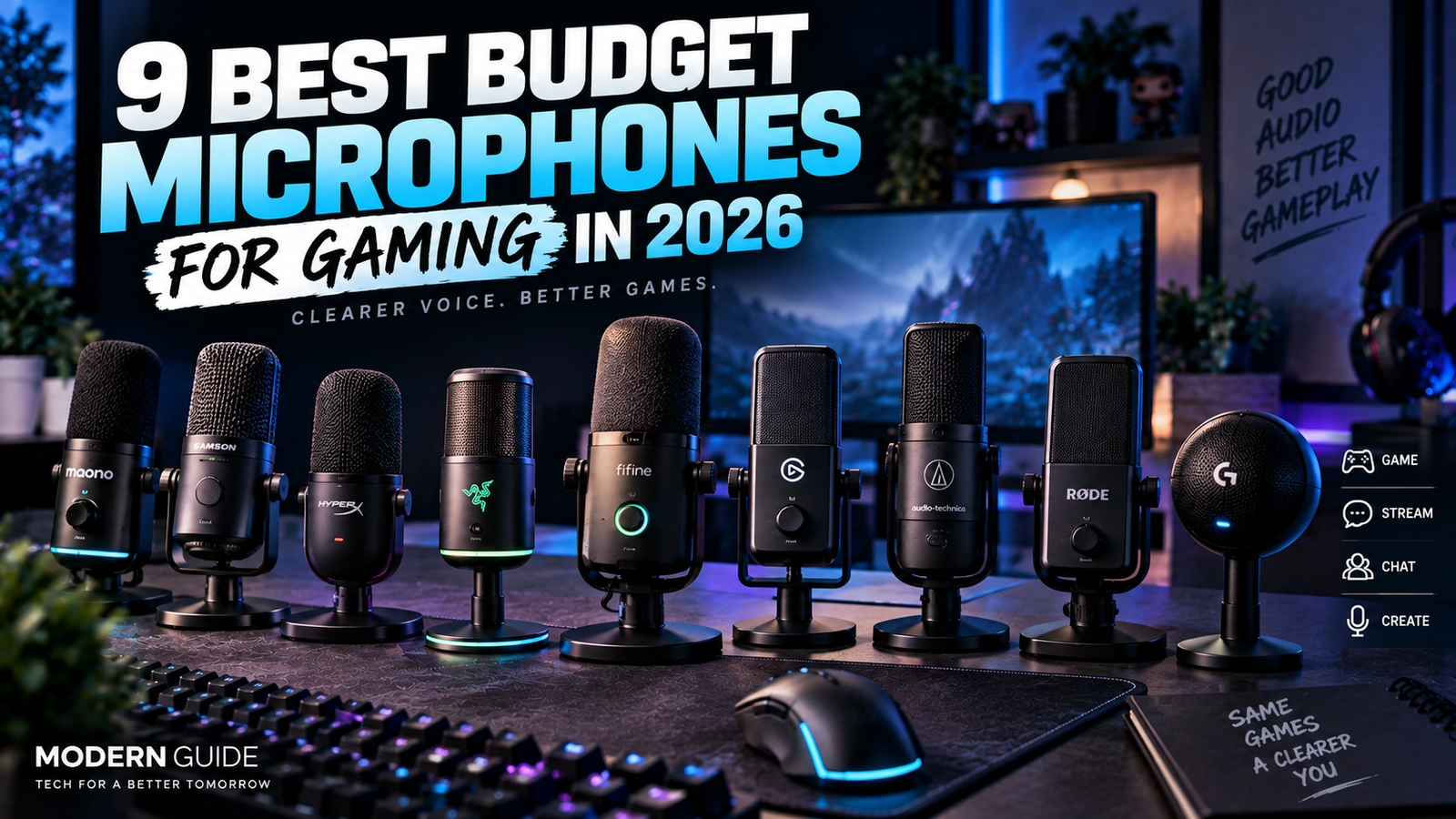
You don’t need an expensive microphone to sound good in a game.
If you’re using a laptop microphone or the tiny mic built into your headset, even a decent budget USB microphone can be a noticeable upgrade.
The tricky part is choosing the right one.
Some microphones sound great but pick up every keyboard click.
Some are better at handling background noise.
Some are tiny and perfect for a small desk.
And some give you USB and XLR so you can upgrade your setup later.
So instead of giving you nine microphones that are basically the same, I picked different options for different types of gamers.
Quick Picks
| Microphone | Best For |
| Samson Q2U | Best overall budget pick |
| MAONO PD200XS | Best value dynamic mic |
| Razer Seiren V3 Mini | Small gaming setups |
| HyperX SoloCast 2 | Beginners |
| FIFINE AM8 | Noisy rooms |
| Elgato Wave Neo | Easy plug-and-play |
| Audio-Technica AT2040USB | Streaming and voice quality |
| RØDE NT-USB Mini | Clean voice recording |
| Logitech Yeti Orb | Simple gaming setups |
1. Samson Q2U
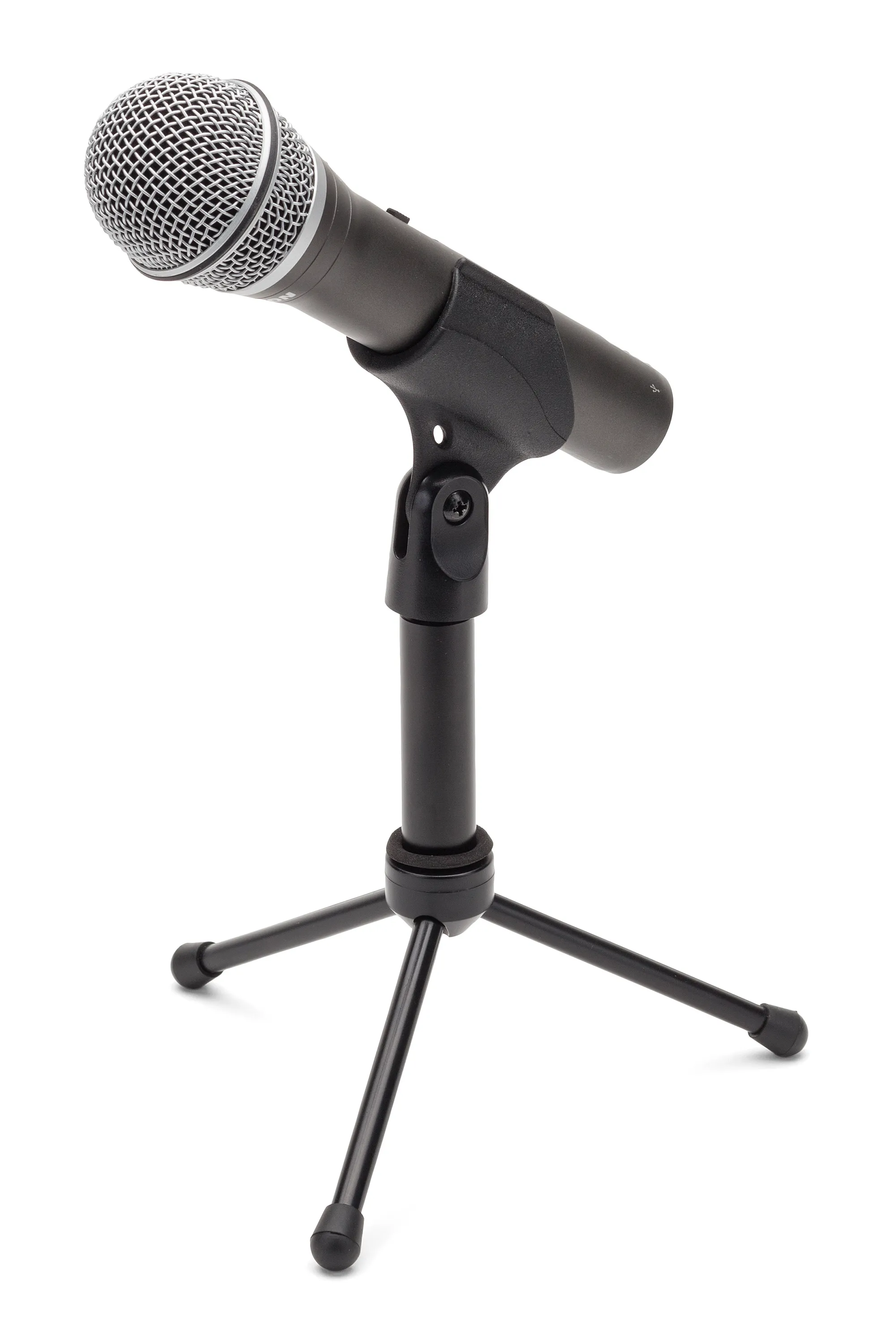
Best overall budget pick
If you want me to recommend one microphone without knowing anything else about your setup, this is probably where I’d start.
The Samson Q2U is a dynamic microphone with both USB and XLR connections.
That combination is the reason I like it so much.
You can plug it directly into your PC today.
Later, if you decide to take audio more seriously, you can connect it to an audio interface through XLR.
You don’t need to buy another microphone.
It’s also a dynamic microphone, which makes it a good choice if your room isn’t perfectly quiet.
That matters for gamers.
Your room probably has a fan, keyboard, mouse clicks, a PC running in the background or someone talking in another room.
The Q2U isn’t magic, but its dynamic design can make dealing with that environment easier.
Why I’d buy it
It’s simple, flexible and gives you an upgrade path.
Best for
- Gaming
- Discord
- First-time creators
- Noisy rooms
- People who may upgrade later
Skip it if
You want a tiny microphone that takes up almost no desk space.
2. MAONO PD200XS

Best value dynamic mic
The PD200XS is the kind of microphone I like seeing in the budget market.
It’s a dynamic USB/XLR microphone that focuses on getting the important things right without going crazy on the price.
You can connect it through USB when you want simplicity.
You can also use XLR later.
That gives it more flexibility than many cheap USB-only microphones.
It’s also designed for close-up voice recording, which is exactly how I’d recommend using a gaming microphone.
Keep it relatively close to your mouth.
Keep the gain reasonable.
And you can get much cleaner voice audio than you would from a headset microphone.
Why I’d buy it
It gives you a lot of microphone for the money.
Best for
- Gaming
- Discord
- Streaming
- YouTube
- Budget setups
Skip it if
You want something extremely compact.
3. Razer Seiren V3 Mini

Best for small gaming setups
Not everyone has a huge desk.
If your keyboard, mouse, monitor and other accessories already take up most of your space, a massive microphone can become annoying.
That’s where the Seiren V3 Mini makes sense.
It’s tiny.
It connects over USB-C and has a supercardioid pickup pattern designed to focus more tightly on your voice.
It also has tap-to-mute.
The compact design is the biggest reason I’d choose it.
You can put it beside your monitor without making your desk look like a podcast studio.
Why I’d buy it
Small size without feeling like a cheap laptop microphone.
Best for
- Small desks
- Gaming
- Discord
- Students
- Minimal setups
Skip it if
Your room is very noisy and you need maximum background-noise rejection.
4. HyperX SoloCast 2

Best for beginners
This is probably the easiest recommendation for someone buying their first dedicated gaming microphone.
- Plug it in.
- Place it in front of you.
- Start talking.
That’s basically the idea.
The SoloCast 2 has a built-in shock mount, pop filter, adjustable stand and tap-to-mute control.
You also get software controls if you want to adjust the sound later.
I like that HyperX hasn’t made this unnecessarily complicated.
You don’t need an audio interface.
You don’t need a mixer.
You don’t need a collection of accessories before you can use it.
Why I’d buy it
It’s straightforward.
That’s exactly what a beginner microphone should be.
Best for
- First microphone
- Gaming
- Discord
- Streaming
- Simple setups
Skip it if
You want USB and XLR in the same microphone.
5. FIFINE AM8

Best for noisy rooms
This is where I’d look if your room is less than ideal.
The AM8 uses a dynamic microphone design, which can be useful when you don’t want the microphone picking up every little sound around you.
Think keyboard clicks.
- Fans.
- Room noise.
- People moving around.
Again, don’t expect any microphone to completely remove background noise.
- Your microphone placement matters.
- Your gain matters.
- Your room matters.
But a dynamic microphone is often a better starting point for this type of setup than a sensitive condenser.
The AM8 also gives you USB and XLR connectivity, so you aren’t locked into one setup.
Why I’d buy it
Good flexibility without moving into expensive studio gear.
Best for
- Noisy rooms
- Gaming
- Streaming
- Discord
- Future upgrades
Skip it if
You want a very small desktop microphone.
6. Elgato Wave Neo

Best easy plug-and-play option
Elgato knows the streaming market extremely well.
The Wave Neo is aimed at people who want good audio without making their setup complicated.
It’s a USB condenser microphone with a cardioid pickup pattern and a built-in headphone connection.
It also works across PC, Mac, PlayStation and some mobile devices.
The included stand makes it easy to get started without immediately buying a boom arm.
That’s useful if you’re just getting into streaming or content creation.
Why I’d buy it
It gives you a clean starting point without needing a complicated setup.
Best for
- Beginner streamers
- Gaming
- YouTube
- PC and console setups
- People who want simple software controls
Skip it if
You have a noisy room and want a dynamic microphone.
7. Audio-Technica AT2040USB

Best for voice quality
This is where I’d go if you’re willing to spend a little more for a microphone that feels closer to broadcast equipment.
The AT2040USB is a dynamic microphone with a hypercardioid pickup pattern.
In simple words, it focuses more tightly on the person speaking into it.
That can be useful for gaming and streaming because you don’t want your microphone treating the entire room like a recording studio.
It also has USB-C connectivity, headphone monitoring and a mix control.
The microphone itself is also built around a more traditional broadcast-style design.
Why I’d buy it
If your voice is a big part of what you’re doing, this is a serious step up from basic gaming microphones.
Best for
- Streaming
- YouTube
- Voice chat
- Content creation
- Noisy rooms
Skip it if
You just need a cheap microphone for occasional Discord calls.
8. RØDE NT-USB Mini

Best for clean voice recording
The NT-USB Mini is another microphone I’d consider if you want something that works for gaming but isn’t limited to gaming.
It’s compact.
It has USB connectivity.
And it includes a headphone output for monitoring.
The small size is useful because you can keep it close to your monitor without taking over your desk.
I’d also consider it if you’re planning to make YouTube videos alongside gaming.
A microphone like this can grow with you instead of becoming something you replace after a few months.
Why I’d buy it
It’s a simple microphone that can work for gaming, calls and content creation.
Best for
- Gaming
- YouTube
- Streaming
- Voice recording
- Small desks
Skip it if
Background noise is your biggest problem.
9. Logitech Yeti Orb

Best simple gaming setup
The Yeti Orb is aimed directly at gamers who want a simple desktop microphone.
You don’t need to understand audio equipment to use it.
That’s a good thing.
The design is compact and the setup is straightforward.
It’s also made to work with Logitech’s gaming software, so it fits nicely if the rest of your setup already uses Logitech gear.
I wouldn’t choose this because it has the longest list of features.
I’d choose it because it’s easy.
And sometimes that’s exactly what you want.
Why I’d buy it
Simple gaming microphone without turning your desk into a recording studio.
Best for
- Casual gamers
- Discord
- Gaming
- Logitech setups
- Beginners
Skip it if
You’re planning serious audio production.
Dynamic vs Condenser: Which Should You Buy?
This is probably the most important thing to understand before buying a budget microphone.
Dynamic
Dynamic microphones are usually better when your room is noisy.
They generally focus more on the sound right in front of them.
That makes them a good match for gaming rooms.
Some good examples from this list are:
Samson Q2U
MAONO PD200XS
FIFINE AM8
Audio-Technica AT2040USB
Condenser
Condenser microphones can capture more detail.
That can make your voice sound very clean and detailed.
But they can also pick up more of what’s happening around you.
Examples include:
Razer Seiren V3 Mini
HyperX SoloCast 2
Elgato Wave Neo
RØDE NT-USB Mini
So if your room is quiet, a condenser can be great.
If your room is noisy, I’d lean toward a dynamic.
Do You Need a Boom Arm?
Not immediately.
A microphone can work perfectly well on its included stand.
But a boom arm can make your setup more comfortable later.
The main advantage is positioning.
You can bring the microphone closer to your mouth without putting it directly in front of your keyboard.
That’s useful for gaming.
And remember:
Microphone placement can matter more than buying a more expensive microphone.
Keep it relatively close to your mouth.
Speak toward the correct side of the microphone.
Don’t crank the gain unnecessarily high.
Those simple things can make a huge difference.
Do You Need a $200 Microphone?
No.
Not for gaming.
If you’re mainly talking to teammates on Discord, a good budget USB microphone is already more than enough.
I’d only spend significantly more if you’re streaming regularly, making YouTube videos, recording podcasts or simply care a lot about audio quality.
For gaming, I’d rather spend the extra money on a better headset, keyboard or mouse if your current ones are weak.
Which Budget Gaming Microphone Would I Buy?
If I wanted the safest all-round option:
Samson Q2U.
If I wanted the best value dynamic option:
MAONO PD200XS.
If I had a tiny desk:
Razer Seiren V3 Mini.
If I was buying my first microphone:
HyperX SoloCast 2.
If my room was noisy:
FIFINE AM8.
If I wanted a simple streaming setup:
Elgato Wave Neo.
If voice quality was my priority:
Audio-Technica AT2040USB.
If I wanted clean audio for gaming and YouTube:
RØDE NT-USB Mini.
If I wanted something simple for casual gaming:
Logitech Yeti Orb.
Final Thoughts
You don’t need a studio microphone to sound good while gaming.
The biggest upgrade is simply getting your voice closer to the microphone and using a proper dedicated mic instead of relying on a laptop or cheap headset microphone.
After that, the choice depends on your room and how you use it.
- Noisy room?
- Go dynamic.
- Quiet room?
- A condenser can work really well.
- Small desk?
- Get something compact.
- Planning to stream?
- Look for better controls and monitoring.
- Want to upgrade later?
- USB and XLR is a great combination.
And don’t forget the most important part.
A $50 microphone placed correctly can sound better than a $200 microphone sitting three feet away from your mouth.
Also if you planning to Buy Other Accessories for your Gaming Setup CLICK HERE
Buy the microphone that fits your setup, not the one with the biggest price tag.

One thought on “9 Best Budget Microphones for Gaming in 2026”