
Best Mechanical Keyboards for Gaming in 2026
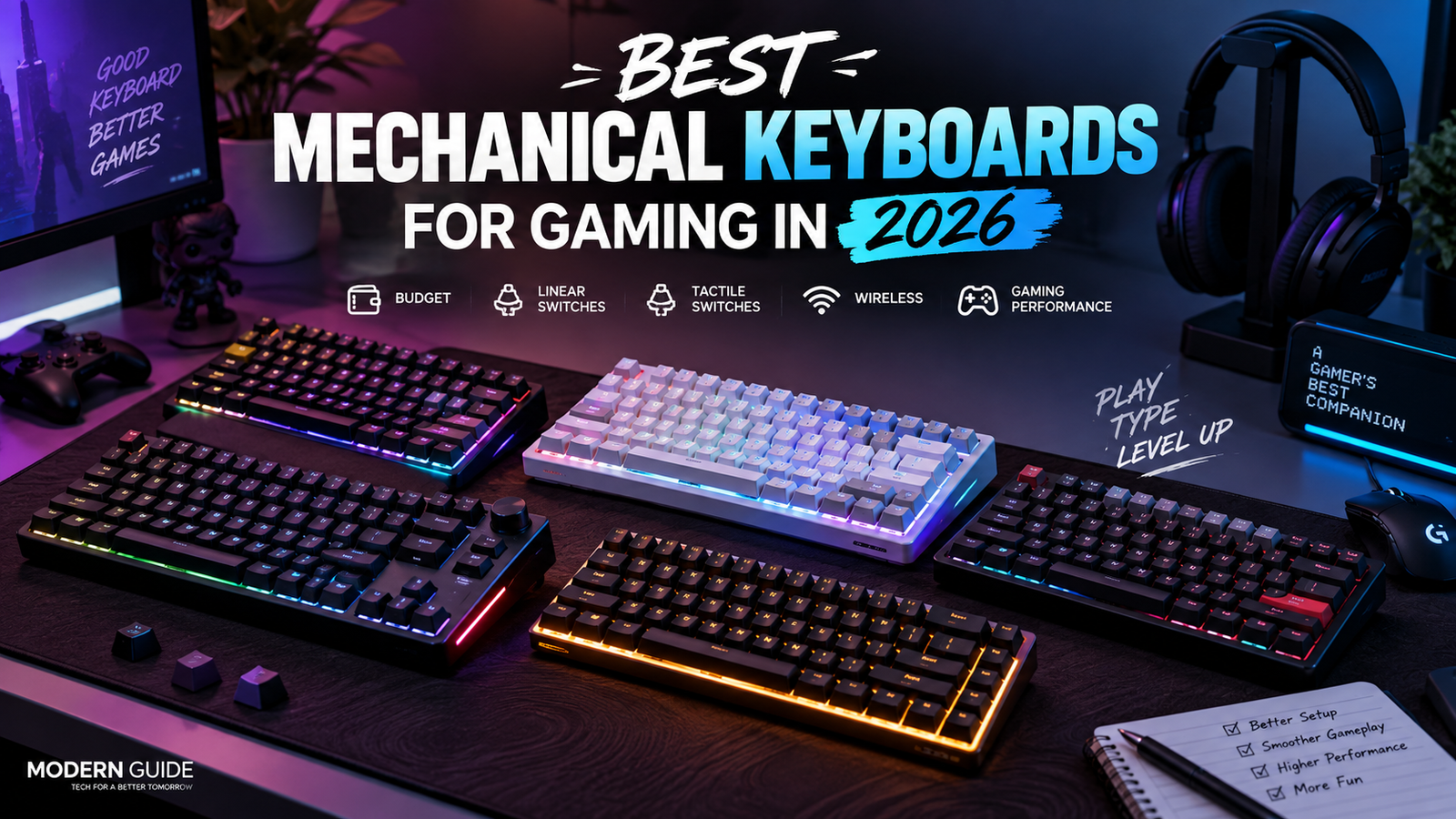
Finding a good gaming keyboard sounds easy until you actually start looking for one.
There are hundreds of options.
Red switches. Brown switches. Magnetic switches. Wireless keyboards. 60% keyboards. 75% keyboards. TKL keyboards. And then every company is telling you that its keyboard is the fastest thing ever made.
Honestly, it gets confusing pretty quickly.
So I wanted to make this list a little different.
Instead of putting the same popular keyboards you see on every other website, I picked keyboards that I think are actually worth looking at in 2026.
I’ve included cheaper options, premium keyboards, linear switches, tactile switches, wireless keyboards and a few options for competitive gaming.
And most importantly, I’m going to tell you who each keyboard actually makes sense for.
My Top Picks
| Keyboard | Best for | Switch | Wireless | Approx. price |
| ASUS ROG Azoth | Best overall | Linear / Tactile | Yes | ₹22,000+ |
| Razer Huntsman V3 HE | Competitive gaming | Magnetic Linear | No | ₹15,499 |
| NuPhy Halo75 V2 | Wireless gaming | Linear / Tactile | Yes | ₹14,000 to ₹24,000 |
| GAMAKAY x NaughShark NS68 | Budget performance | Hall Effect | Yes | Around ₹10,500 |
| Keychron Q1 HE | Premium enthusiasts | Hall Effect | Yes | ₹21,000+ |
| Royal Kludge RK84 | Budget wireless | Linear / Tactile | Yes | ₹6,000+ |
Prices can change depending on the seller, version and current offers.
1. ASUS ROG Azoth
Best overall
Price: around ₹22,000 and up
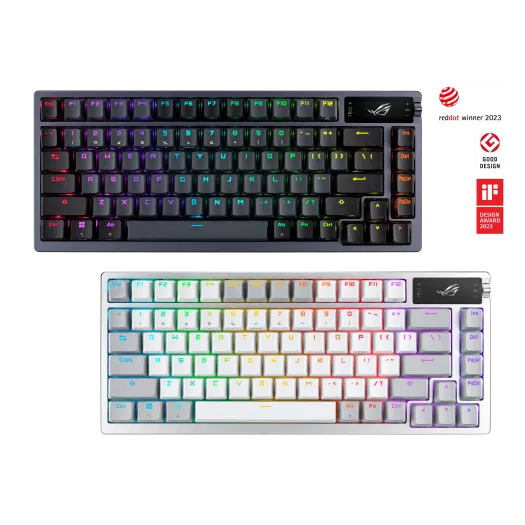
If I had to choose just one keyboard from this list for everyday use, gaming and typing, the ASUS ROG Azoth would be one of my first choices.
And yes, it is expensive.
But this isn’t just another gaming keyboard with RGB lights slapped onto it.
The Azoth has a 75% layout, hot-swappable switches, PBT keycaps, a gasket mount and multiple layers of sound dampening. You also get an OLED display and a control knob.
The wireless setup is another reason I like it.
You can use Bluetooth, 2.4GHz wireless or a wired USB connection. ASUS also claims more than 2,000 hours of battery life when using 2.4GHz with the OLED and RGB turned off.
What I like
The keyboard feels much closer to a custom mechanical keyboard than a normal gaming keyboard.
I also like that you can change the switches later because they are hot-swappable.
You can get it with different ROG NX switches, including linear and tactile options.
If I was mainly gaming, I’d go for a linear switch.
If I was going to spend a lot of time typing too, I’d consider a tactile option.
What I don’t like
The price.
There is no way around it.
You can find perfectly good gaming keyboards for much less money.
So I wouldn’t recommend the Azoth to someone who simply wants their first mechanical keyboard.
I’d recommend it to someone who wants to buy once and keep the keyboard for years.
My take: One of the best choices if you want gaming, typing and wireless connectivity in one keyboard.
Rating: 9.3/10
2. Razer Huntsman V3 HE Magnetic TKL
Best for competitive gaming
Price: ₹15,499
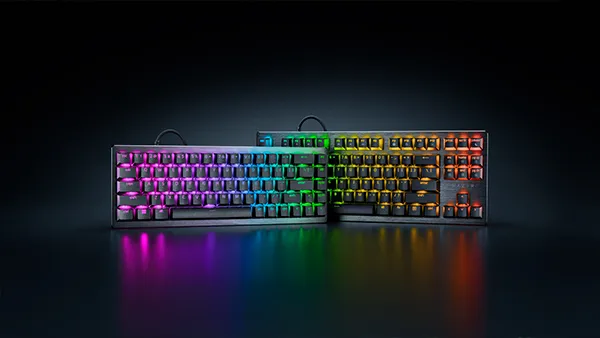
If gaming is the main reason you’re buying a keyboard, this is the one I’d look at first.
The Huntsman V3 HE uses Hall Effect magnetic switches.
That means you can adjust how far a key needs to travel before it activates.
Razer lets you adjust the actuation point from 0.1mm to 4.0mm.
It also supports features such as Rapid Trigger and up to 8000Hz polling.
That sounds like a lot of numbers, but here’s what actually matters.
You can make the keyboard feel very sensitive when you’re playing games that need quick movement.
For competitive FPS games, that can be useful.
What I like
The TKL layout is a great choice for gaming.
You still get your function keys and arrow keys, but the number pad is gone.
That gives your mouse more space.
The magnetic switches are also the main reason I’d buy this keyboard.
What I don’t like
It’s wired.
For me, that’s fine on a gaming desk. And Most Of the Gamers Will Satisfied! (Comment If your Agree?)
But if you really want a clean wireless setup, you’ll have to look elsewhere.
I also wouldn’t spend this much money on it if most of my gaming was casual.
You won’t suddenly become better at Valorant just because you bought a faster keyboard.
My take: If competitive gaming is your priority, this is one of the most interesting keyboards to consider in 2026.
Rating: 9.0/10
3. NuPhy Halo75 V2
Best wireless all-rounder
Price: around ₹14,000 to ₹24,000 depending on seller
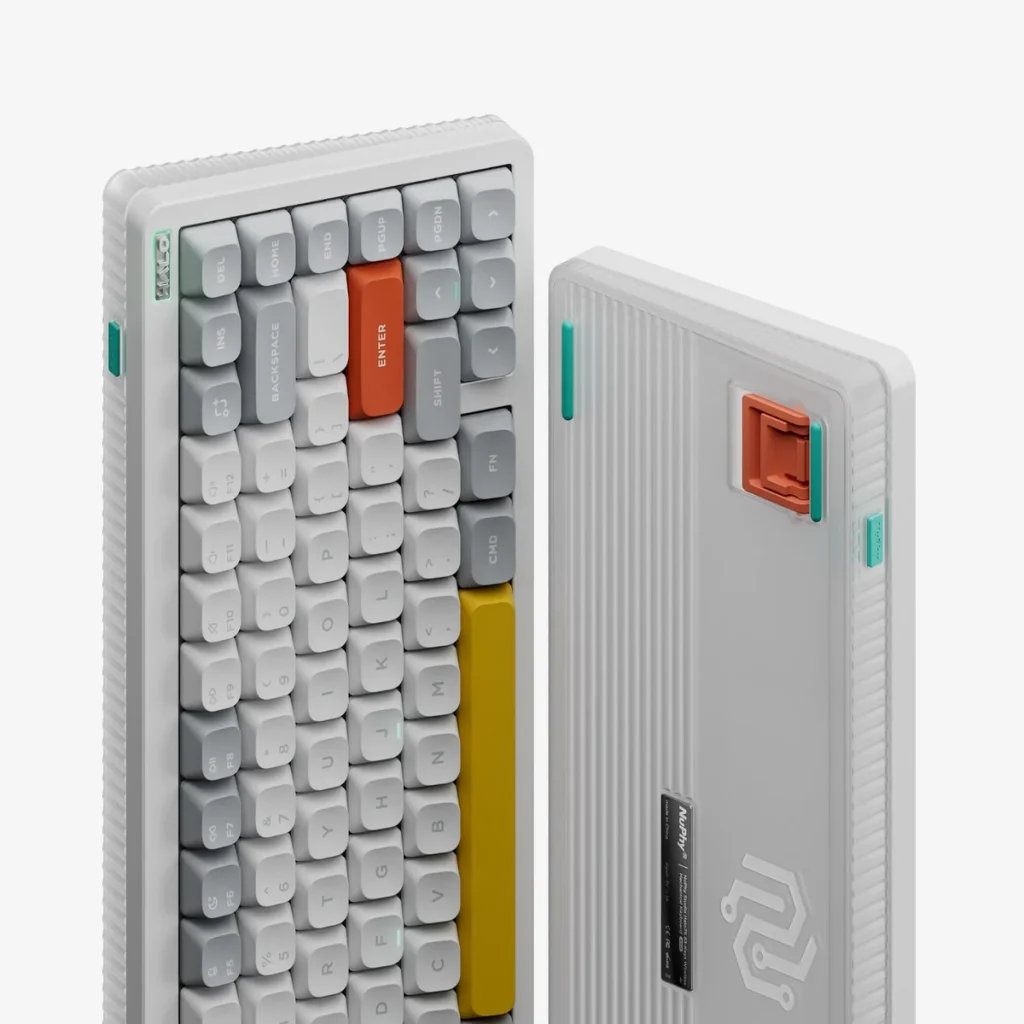
This is the keyboard I’d recommend to someone who wants a gaming keyboard but doesn’t want something that looks like it came straight out of an esports tournament.
The Halo75 V2 has a much cleaner look.
It has a 75% layout, wireless connectivity, hot-swappable switches and QMK/VIA support.
You can connect it through USB-C, Bluetooth or 2.4GHz wireless.
The switch choices are also pretty interesting.
You can choose from linear and tactile options, including Mint, Raspberry and Lemon switches.
What I like
The biggest thing for me is the balance.
It works well as a gaming keyboard, but I could also easily use it for school, work or writing.
And that’s important.
A keyboard shouldn’t become useless the moment you close your game.
The 75% layout is also one of my favorite sizes because you still get the function row and arrow keys without having a huge keyboard taking up your desk.
What I don’t like
The Indian price can be quite high.
I’ve seen listings around ₹23,990, while another Indian seller has listed it around ₹13,999.
So I’d definitely compare prices before buying.
My take: A really good choice if you want wireless gaming without giving up the feel of an enthusiast mechanical keyboard.
Rating: 8.8/10
4. GAMAKAY x NaughShark NS68
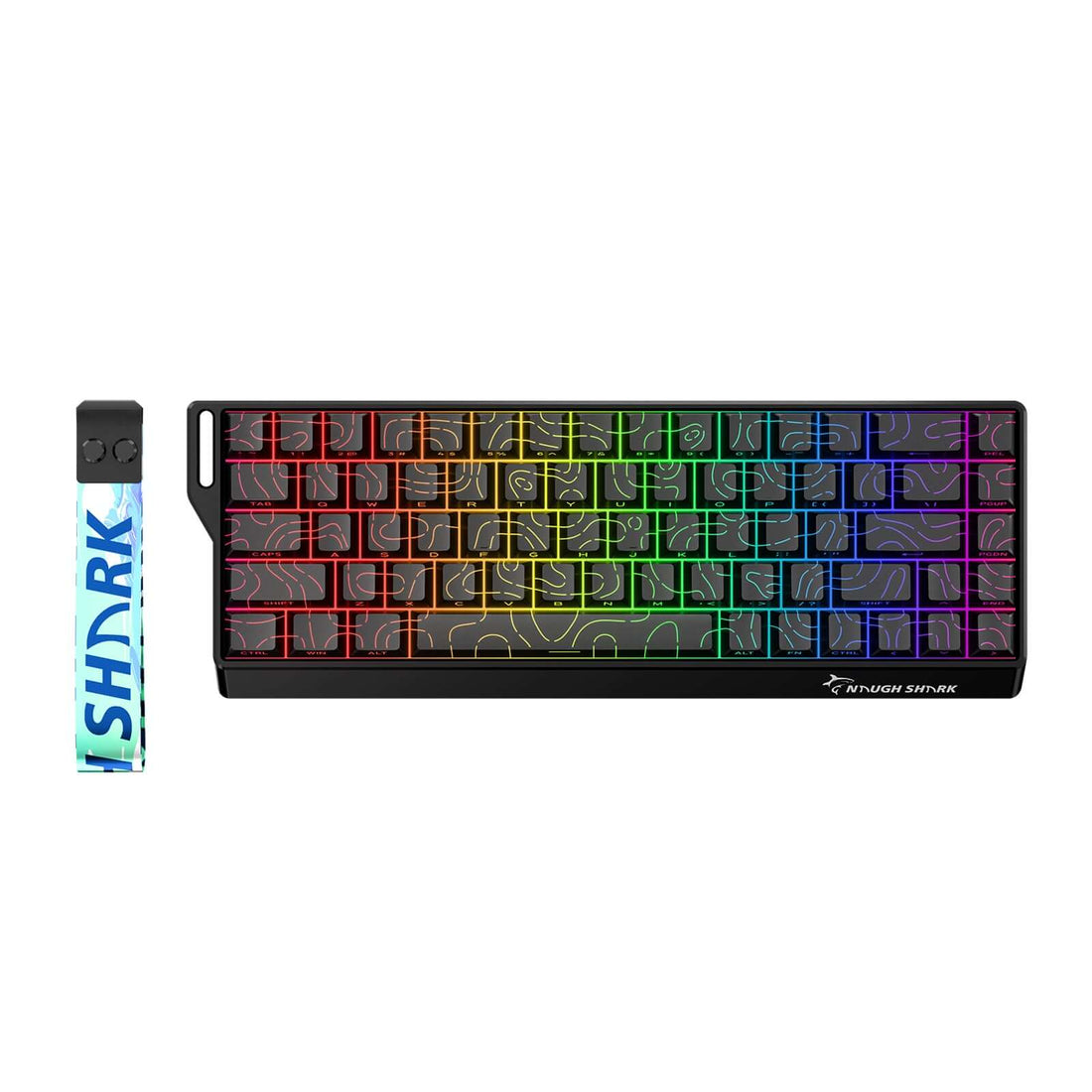
Best budget performance keyboard
Price: around ₹10,500
This is probably the keyboard I’d look at if I wanted Hall Effect features without spending ₹20,000 or more.
The NS68 uses magnetic switches and comes in a compact 65% layout.
You also get features aimed directly at gamers, including adjustable actuation and high polling rates.
And yes, it also supports wireless connectivity.
That’s a lot for the money.
What I like
The main reason I’d buy it is simple.
I want the gaming features without paying premium keyboard prices.
The 65% layout also leaves plenty of room for your mouse.
That’s especially nice if you play FPS games with a low mouse sensitivity.
What I don’t like
The 65% layout isn’t going to work for everyone.
You lose the function row and some dedicated keys.
If you’re used to a full-size keyboard, it might take some time to get comfortable.
I’d also choose this keyboard because of its gaming features rather than because I want a fancy typing experience.
My take: One of the more interesting options if you’re looking for Hall Effect gaming performance on a tighter budget.
Rating: 8.7/10
5. Keychron Q1 HE
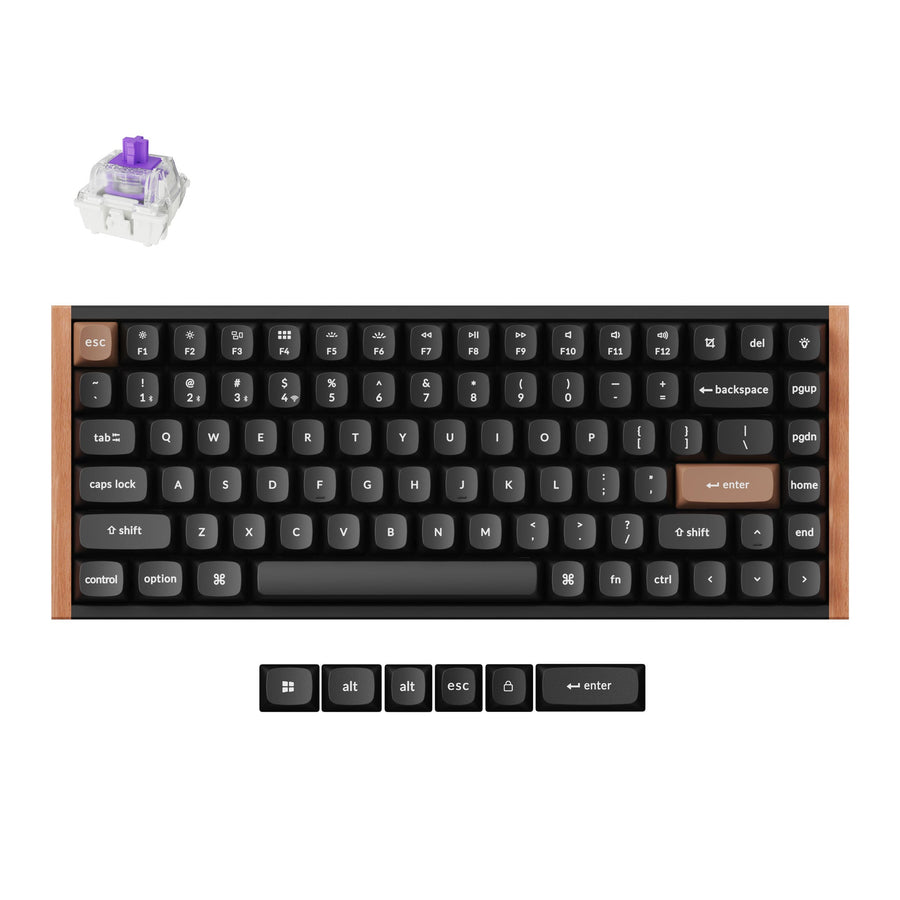
Best for mechanical keyboard enthusiasts
Price: ₹21,000+ depending on version and sale
The Keychron Q1 HE is a little different.
I wouldn’t recommend it simply because you want the fastest gaming keyboard.
I’d recommend it if you actually enjoy mechanical keyboards.
The Q1 HE combines a premium 75% keyboard design with Hall Effect magnetic switches and wireless connectivity.
Keychron’s current Indian lineup also includes several newer HE keyboards, including the Q1 HE, Q1 HE 8K, K2 HE and K8 HE.
What I like
Customization.
That’s really the big selling point for me.
If you enjoy changing keycaps, switches, layouts and settings, this is the kind of keyboard that can become a hobby.
The Hall Effect switches also give you gaming features that normal mechanical switches can’t offer.
What I don’t like
Price.
If you’re only interested in gaming performance, there are cheaper ways to get excellent performance.
You’re paying for the overall keyboard experience too.
My take: Buy this because you love mechanical keyboards, not just because you want a gaming keyboard.
Rating: 8.6/10
6. Royal Kludge RK84
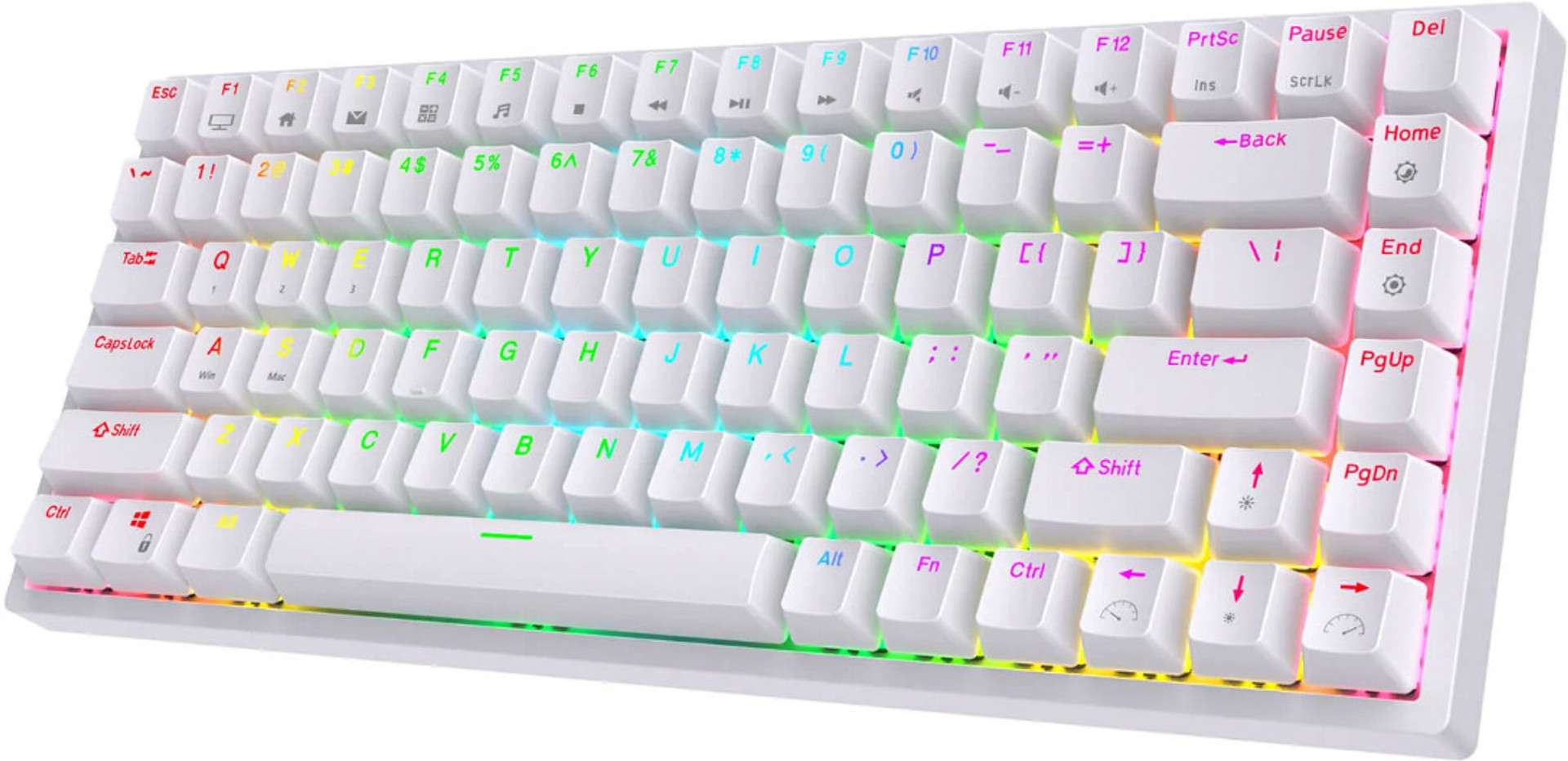
Best affordable wireless option
Price: around ₹6,000 and up
If this is your first mechanical keyboard, you probably don’t need to spend ₹20,000.
That’s where something like the Royal Kludge RK84 makes sense.
It’s a 75% keyboard with wireless connectivity and hot-swappable switches.
Depending on the version, you can find it with different switch types.
What I like
The price.
The RK84 gives beginners a good way to get into mechanical keyboards without spending a huge amount.
The 75% layout is also a nice middle ground.
You get the important keys without having a giant full-size keyboard on your desk.
And because it’s hot-swappable, you can experiment with different switches later.
What I don’t like
There are quite a few versions of the RK84, so you need to check exactly which version you’re buying.
Prices also change a lot between sellers.
I wouldn’t pay premium money for this keyboard.
If it gets too close to the price of a more advanced keyboard, I’d look at other options.
My take: A good starting point for someone who wants wireless mechanical gaming without spending too much.
Rating: 8.2/10
Linear vs Tactile Switches
This is probably the first thing I’d decide before buying a mechanical keyboard.
And you don’t need to make it complicated.
Linear switches
Linear switches feel smooth from the moment you press them until they bottom out.
There isn’t a noticeable bump in the middle.
I usually recommend them for gaming.
They’re especially nice for FPS games because the key press feels quick and smooth.
If you mostly play games, I’d start with a red style linear switch.
Tactile switches
Tactile switches have a bump when you press them.
You can actually feel the key activating.
I prefer this type if I’m going to spend a lot of time typing as well as gaming.
They’re also nice if you simply enjoy feeling each key press.
For an all-round keyboard, tactile switches are definitely worth considering.
What about clicky switches?
Clicky switches are louder and have a noticeable click when pressed.
Some people absolutely love them.
I wouldn’t choose them for a shared room, office or bedroom.
Your teammates might also get tired of hearing them.
But if you love loud mechanical keyboards, go for it.
Are Wireless Mechanical Keyboards Good for Gaming?
Yes.
A few years ago, I’d have been much more careful about recommending wireless keyboards for serious gaming.
Today, I’m much less worried about it.
The important thing is to look for 2.4GHz wireless.
That’s the connection I’d use for gaming.
Bluetooth is great when you want to connect to a laptop, tablet or phone, but I wouldn’t make Bluetooth my first choice for competitive gaming.
A good wireless gaming keyboard should ideally give you:
2.4GHz wireless
Bluetooth
USB wired mode
Good battery life
Stable connection
Low latency
That gives you the best of both worlds.
Do You Really Need an 8000Hz Keyboard?
No.
This is something I think gets overhyped.
8000Hz sounds amazing on a product page.
But don’t assume that going from 1000Hz to 8000Hz will suddenly make you a better player.
It won’t.
I’d rather have a keyboard with good switches, good latency, comfortable keycaps and a layout I actually like.
If you’re already a competitive player and you’re trying to remove every possible source of delay, then sure, 8000Hz is worth considering.
For everyone else, don’t make it your number one buying decision.
What Keyboard Would I Buy?
If I were buying today, this is how I’d decide.
I want one keyboard for everything:
ASUS ROG Azoth
I mainly play competitive FPS games:
Razer Huntsman V3 HE
I want wireless and a clean custom keyboard style:
NuPhy Halo75 V2
I want Hall Effect gaming features for less money:
GAMAKAY NS68
I love customizing mechanical keyboards:
Keychron Q1 HE
I want my first affordable wireless mechanical keyboard:
Royal Kludge RK84
Final Thoughts
I don’t think you need to spend a huge amount of money on a gaming keyboard.
That’s probably the biggest thing I’d say after looking through all these options.
A ₹40,000 keyboard isn’t automatically going to make your games more enjoyable than a good ₹10,000 keyboard.
First decide what you actually want.
If you play competitive FPS games, look at linear or Hall Effect switches.
If you game and type a lot, tactile switches are worth considering.
If your desk is already full of cables, get a good 2.4GHz wireless keyboard.
And if you’re just getting into mechanical keyboards, don’t feel like you need to buy the most expensive option.
Start with something you actually like using.
For me, the ASUS ROG Azoth is the safest all-round choice here.
But if gaming performance comes first, I’d take the Razer Huntsman V3 HE.
And if you’re trying to get the most interesting features without going crazy with the budget, the GAMAKAY NS68 is the one I’d keep an eye on.

5 thoughts on “Best Mechanical Keyboards for Gaming in 2026”